
Spinorhino App
The Spinorhino App is built for players who want quick and easy access to the platform directly from their mobile device. Instead of downloading a heavy app from an app store, Spinorhino uses a secure web based app that installs straight to your home screen. This keeps the experience fast, simple, and easy to manage.
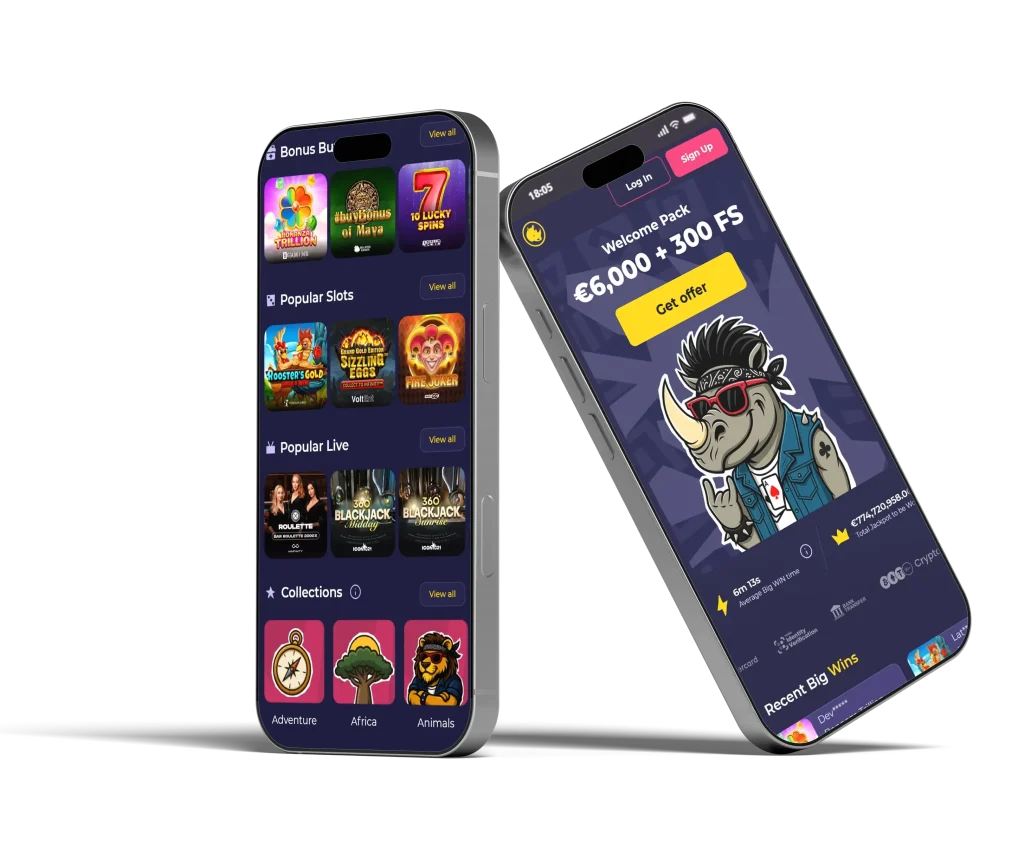
Once installed, the app opens like a regular mobile application. You can access games, account settings, and all main features without opening a browser each time. The design is optimized for mobile screens, making navigation smooth and comfortable whether you are playing at home or on the go
The Spinorhino App focuses on convenience while keeping the layout clear and easy to understand.
Why Use the Spinorhino App
Using the Spinorhino App makes daily access easier and faster. With the app icon on your home screen, you can launch Spinorhino instantly without typing the website address. Pages load quickly, menus are easy to reach, and key features are always close at hand.
The app adapts naturally to different screen sizes and works well on both smartphones and tablets. Because it is browser based, updates happen automatically in the background. There is no need to download new versions or manage updates manually.
This approach keeps the app lightweight while still providing a smooth and reliable experience.
Installation on iOS
Installing the Spinorhino App on iOS devices is simple and does not require the App Store. The process uses standard Safari features already available on your device.
- Open spinorhino.com using the Safari browser on your iPhone or iPad
- Tap the Share icon at the bottom of the screen
- Select Add to Home Screen from the menu
- Tap Add to confirm
After installation, the Spinorhino App icon will appear on your home screen. You can open it like any other app and start using it immediately.
Please note that installation is not available when using private or incognito browsing mode.
Installation on Android
Android users can install the Spinorhino App directly through the Chrome browser. The steps are quick and guided by the browser interface.
- Open spinorhino.com in the Chrome browser on your Android device
- Tap the three dots menu in the top right corne
- Select Add to Home Screen and tap Install
Once completed, the Spinorhino App icon will be added to your home screen. You can launch the app anytime without opening the browser.
As with iOS devices, installation is not supported in private or incognito mode.
App Features and Navigation
The Spinorhino App mirrors the main website while improving usability for mobile devices. Menus are touch friendly, buttons are clearly spaced, and scrolling feels smooth. Game categories, account options, and settings are easy to locate.
The app allows quick movement between pages with minimal loading. Visual elements are adjusted for smaller screens to keep text readable and controls easy to use. This creates a clean and focused experience without unnecessary clutter.
Because the app opens directly from your home screen, it feels similar to a native mobile app while remaining lightweight.
Performance and Compatibility
The Spinorhino App works on modern iOS and Android devices through supported browsers such as Safari and Chrome. It does not require large amounts of storage and runs efficiently on most smartphones.
Since the app is web based, compatibility remains high across different device models and operating system versions. Security and session handling follow the same standards as the main site, ensuring stable logins and smooth usage during normal play.









Frequently asked questions
Is the Spinorhino App a real mobile app?
The Spinorhino App is a web based app that installs on your home screen. It works like a mobile app but does not require downloading from an app store.
Can I use the Spinorhino App on both iOS and Android?
Yes, the app supports iOS and Android devices using Safari or Chrome browsers.
Do I need to update the app manually?
No, updates happen automatically through the browser, so there is no need for manual updates.
Can the app be installed in private browsing mode?
No, the Spinorhino App cannot be installed when using private or incognito browsing.
Does the Spinorhino App use a lot of storage?
No, the app is lightweight and uses very little storage compared to traditional mobile apps.